
Reports and alerts
Give every client a link to its latest report
Each client gets a private link that opens its latest monthly report under your brand, with no account to create and nothing to export.
14-day trial with Agency plan limits · No credit card
The basics
What a client portal does for an agency
Most agencies send monthly reports as attachments. They get forwarded, buried in inboxes and read once. A client portal swaps the attachment for a link that always opens the current report, so the client, their manager and their marketing lead all see the same numbers.
For the agency, it removes a monthly chore. There's no file to build, export or upload. The report is put together from the latest checks when someone opens the link, so last month's report is there on the 1st without anyone touching it.
It also gives clients a reason to look between calls. Rankings, AI visibility and local results read better as a running story than as a once-a-month PDF, and a client who has already looked can bring better questions to the call.
Because portal links need no login, treat them like any shared link. Anyone who has one can open the report, so give each person or team its own link, and switch off the ones that are no longer needed.
In RankTwice
How it works
- 01
Create a link for each person
In a project's Report tab, name a link for who it's for, such as the client's marketing lead, and copy it. Each link shows when it was last opened.
- 02
The report is built when opened
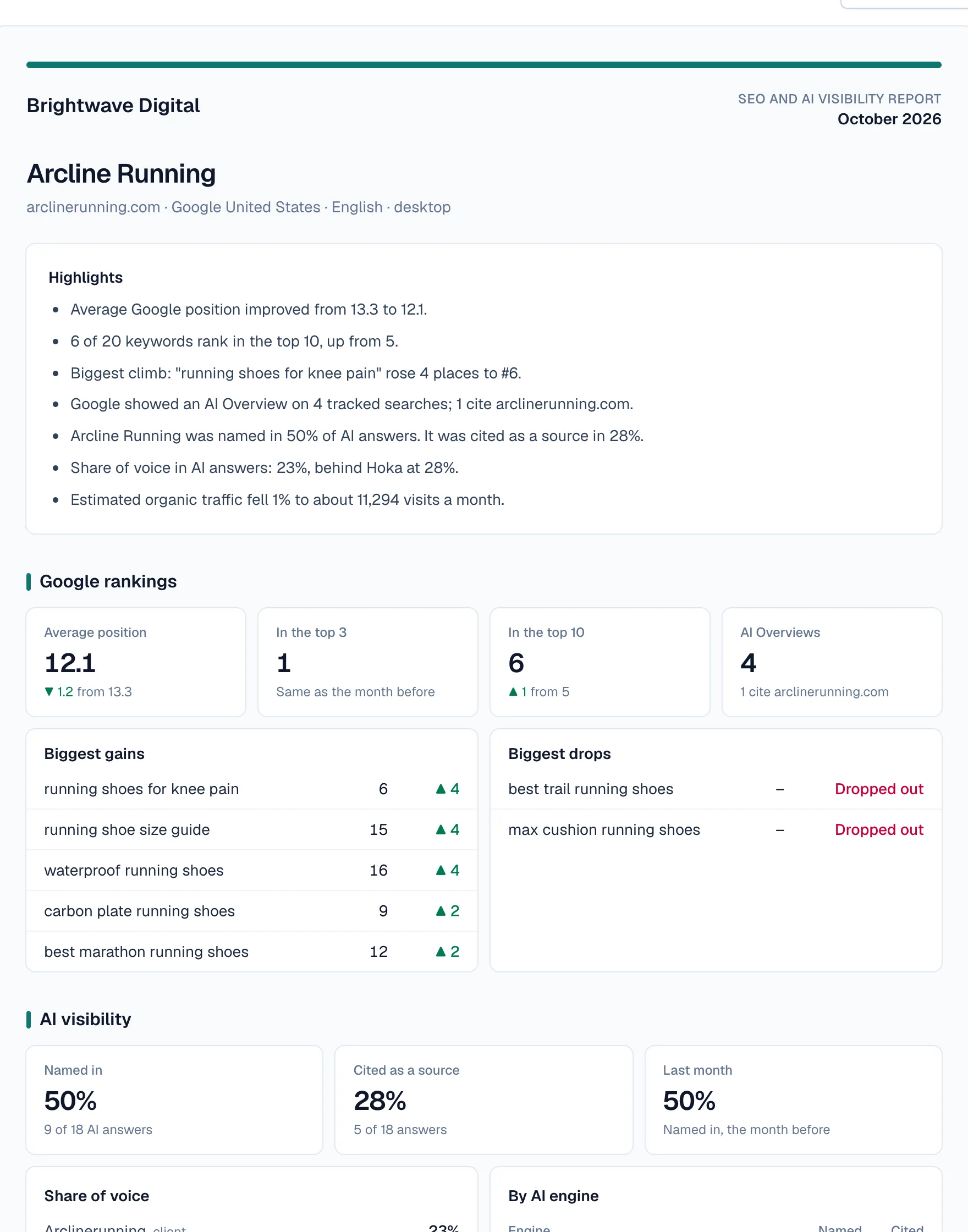
The link opens last month's report, built from the saved checks when the page loads. A month picker shows earlier months and the current month so far, and Download PDF saves any of them.
- 03
Your brand on every page
Your logo, color and footer replace ours from the Freelancer plan, which every portal plan includes. On your own domain, the browser tab shows your agency's name too.
- 04
Emailed on the 1st
Turn on the monthly email and add the client's addresses. On the 1st, they get last month's highlights and a button that opens the full report in the portal, sent under your agency's name.
- 05
On your own domain
On Agency Pro, portal links can use an address such as reports.youragency.com. Add it in your branding settings, point a CNAME record at us, and once its certificate is issued, portal links, shared audits and report emails use it.
Reading the screen
How to read it
- Highlights
- Plain sentences at the top, written from the data: average position, keywords in the top 10, the biggest climb, how often AI names and cites the client, share of voice against the strongest rival, traffic, clicks and AI readiness. A line appears only when the data supports it.
- Sections
- Rankings, AI visibility, authority and traffic, search features, site health, saved keyword and link gaps, local results, AI readiness and Search Console. A section shows only when the project has data for it.
- Last opened
- Each link shows the date it was last opened, or “Not opened yet”, so you can see who is reading.
- So far
- The current month’s report is marked “so far” until the month ends, so nobody mistakes a partial month for a finished one.
- Switched off
- A link you switch off stops working at once. Anyone who opens it sees a message that the link has been switched off.
Putting it to work
What to do with it
Agencies
Give every client contact their own link, turn on the monthly email, and let the portal carry the routine reporting. A link that hasn’t been opened in months is an early warning before renewal comes around.
Freelancers and consultants
A portal lets a small practice give every client a branded report that's always current, with no client accounts to manage. On the Freelancer plan, reports are white-labeled and print to PDF instead.
In-house teams
Share a link with leadership or other teams so they can check rankings and AI visibility without a seat in the app.
Plans and limits
Compare plans- Client portal links from the Agency plan.
- White-label reports from the Freelancer plan; your own domain from Agency Pro.
- Monthly emails work on any plan. Below the Agency plan, the email's button opens the report in the app, which only your team can sign in to.
FAQ ( 6 )
Questions about client portal
How client portal works in RankTwice, and what each plan includes.
Do clients need an account?
No. The link is the permission: anyone with it can open the report without signing in. That also means a forwarded link works for whoever receives it.
Can I switch a link off?
Yes. Switch it off in the project's Report tab and it stops working straight away. Create a new one if the client still needs access.
Can clients see earlier months?
Yes. The portal opens on last month's report, and a month picker shows earlier months and the current month so far. Download PDF opens the browser's print dialog to save any month.
Can the portal run on our own domain?
On Agency Pro, yes. Add an address such as reports.youragency.com in your branding settings and point a CNAME record at us. Only your agency's portal links and shared audits open there; the app and its sign-in don't.
Will search engines index the portal?
Portal data is sent with a noindex header and isn't cached. On your own domain, the pages and robots.txt also tell search engines to stay out.
What happens to links if we change plans?
Below the Agency plan, portal links pause and ask the client to contact you; they work again when the plan does. Leaving Agency Pro moves links back to our address, and your domain redirects there.
Related
- FeatureReports and alertsWhite-label reports, portal and alerts
- AI visibilityShare of voiceEvery week, your prompts go to ChatGPT, Perplexity, Gemini and Google AI Overviews. Share of voice shows how the mentions split between your client and up to 5 competitors.
- Local SEOMap-pack gridEach grid keyword is searched on Google Maps from 25 points around the business every week, and its place in the results is recorded at each one.
Get started
Get started with RankTwice today
Audit a prospect's site now, or add your first client in a few minutes. Rankings and AI checks start within the hour.
14-day trial with Agency plan limits · No credit card